Manual Entry of Product Data
-
To manually enter quarterly pricing data during the manufacturer submission period, select the option Edit from the top menu bar.

-
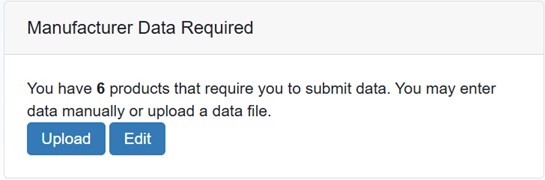
Alternatively, use the Edit link in the Manufacturer Data required section to navigate to the Manual Product Data Entry page.
-
The latest manufacturer provided data and process status for each of the NDCs will be displayed on the manual data entry page. Product details include the following and should follow the same data constraints as outlined in the instrument file table:
-
The Process Status include the following:
-
Waiting on Manufacturer Data
-
Waiting on Manufacturer Reconciliation
-
Ready for Submission
-
Back to Manufacturer

-
-
The Manual Product Data Entry List can be sorted and filtered to make the data displayed more manageable. For more information, refer to Data Tables.

-
Select the National Drug Code (
 NDC A unique 11-digit, 3-segment code numeric identifier assigned to each medication listed under Section 510 of the US Federal Food, Drug, and Cosmetic Act. The segments identify the labeler or vendor, product (within the scope of the labeler), and trade package (of this product). The first segment (4 or 5 digits) is assigned by the Food and Drug Administration (FDA). The second segment (3 or 4 digits) identifies a specific strength, dosage form, and formulation for a particular firm. The third segment (1 or 2 digits) identifies package forms and sizes.) you want to update by clicking on the link provided in the National Drug Code column. System will display the Product Data Entry page for that NDC.
 -
The page will also display the Inner NDC value from HRSA (
FDB First Databank, Inc., is the publisher of pharmaceutical information that is used within healthcare information systems serving hospitals, physician practices, other providers, payers, retail pharmacies, state health programs, and others for the purpose of medication decision support and negotiating reimbursement rates paid to pharmacies and other providers.). The Inner NDC value for manufacturers has two options – Yes or No. Before clicking on "Save MFR Data", please select the appropriate Inner NDC value for the Product.
-
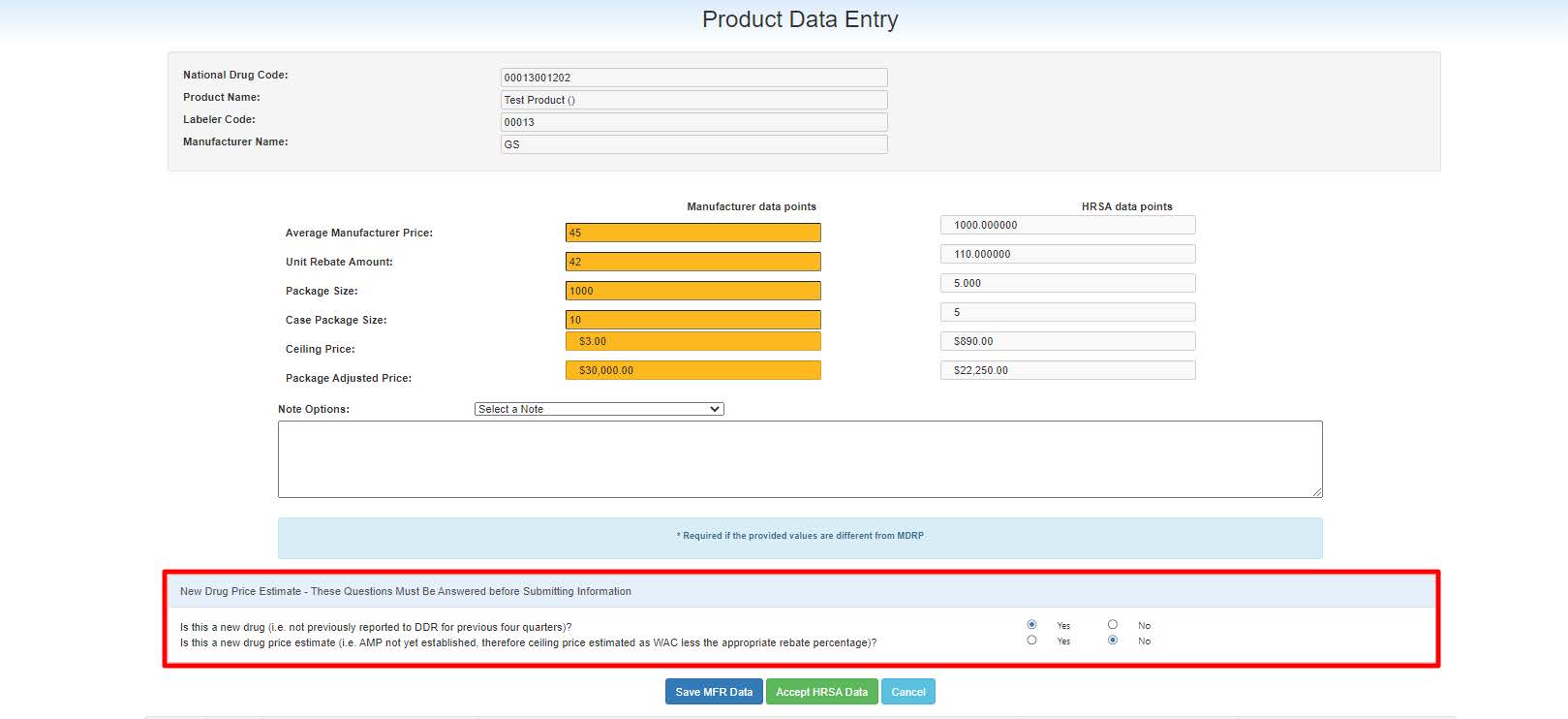
When one or more of the Manufacturer data points do not match the HRSA data points, the manufacturer must enter a justification in the Notes section. Select standard notes from the Note Options drop-down to populate pre-defined justification in the Notes. Manufacturers may edit the standard note selected in the Note text box. If Other is selected from the drop-down, the Manufacturer must enter a custom note.

-
During the manual data entry for the product, if the product was not reported to
340B OPAIS The 340B Office of Pharmacy Affairs Information System (OPAIS) is a collection of information submitted by covered entities, contract pharmacies, and manufacturers maintained and verified by HRSA's Office of Pharmacy Affairs (OPA). for the three previous quarters, then manufacturers have to answer the New Drug Price Estimate questions:-
Is this a new drug (i.e., not previously reported to DDR for the previous four quarters)?
-
Is this a new drug price estimate (i.e., AMP not yet established; therefore, the ceiling price estimated as WAC less than the appropriate rebate percentage)?
-
-
Based on the answers, the product may be flagged as a “New Drug Price Estimate” and the questions may be asked again during the subsequent quarters.
New Drug Price Estimate question Business Rules
-
If the manufacturer answers no to both question A and B, then they will not be prompted in the future for reconciliation.
-
If the manufacturer answers yes to question A, but no to question B, then they will not be prompted in the future for reconciliation.
-
If the manufacturer answers yes to both questions, then they will be required to answer for up to 4 consecutive quarters or until they answer no to the drug estimate.
| Field/Button | Description |
|---|---|
| New Drug Price Estimate | Select “Yes” or “No” to answer the Questions. 2nd Question will be disabled if your answer to the 1st question was “No”. You need to answer both the questions to save and exit the page. |
| Notes |
A manufacturer must provide a note to justify its data when the data provided does not match HRSA data points. The maximum number of characters accepted in the Notes field is 1000 characters. Use the drop-down to select a standard Note. Additional comments may be added to the standard text in the note text box. You will be required to add additional comments if you selected “Other” from the Notes drop-down. If there are no suitable standard Notes, you can select the “Other” option and add your justification. |
| Cancel | Click to cancel any changes and keep the record on the Manual Product Data Entry List for later review. |
| Save MFR Data | Click to save your entries. The Save MFR data link will not be active if the manufacturer failed to provide a note to justify data entries that do not match HRSA data. Any difference in data points between the manufacturer submitted data and HRSA data requires a note. |
| Accept HRSA Data | This button allows the manufacturer user to accept HRSA data in one click. |
| Drop down box | Pre-populated text |
|---|---|
| Restated AMP (edit note as needed) | AMP has been restated; CMS Centers for Medicare and Medicaid Services, the federal agency within Health and Human Services (HHS) that administers the Medicare and Medicaid programs, including the Medicaid drug rebate program and the Medicare Part D prescription drug benefit.’ DDR has been updated. |
| Baseline AMP correction (edit note as needed) | Baseline AMP has been updated; CMS’ DDR has been updated. |
| Best Price updated (edit note as needed) | Best Price was restated; CMS’s DDR has been updated. |
| Drug category change (edit note as needed) | Drug category is pending a change request with CMS. |
| New drug price estimate (edit note as needed) | New drug price estimate using WAC in the AMP field with appropriate rebate percentage. |
| Package size reporting update (edit note as needed) | UPPS reflect the unit of measure for which AMP is reported. |
| Other (provide detailed note) |